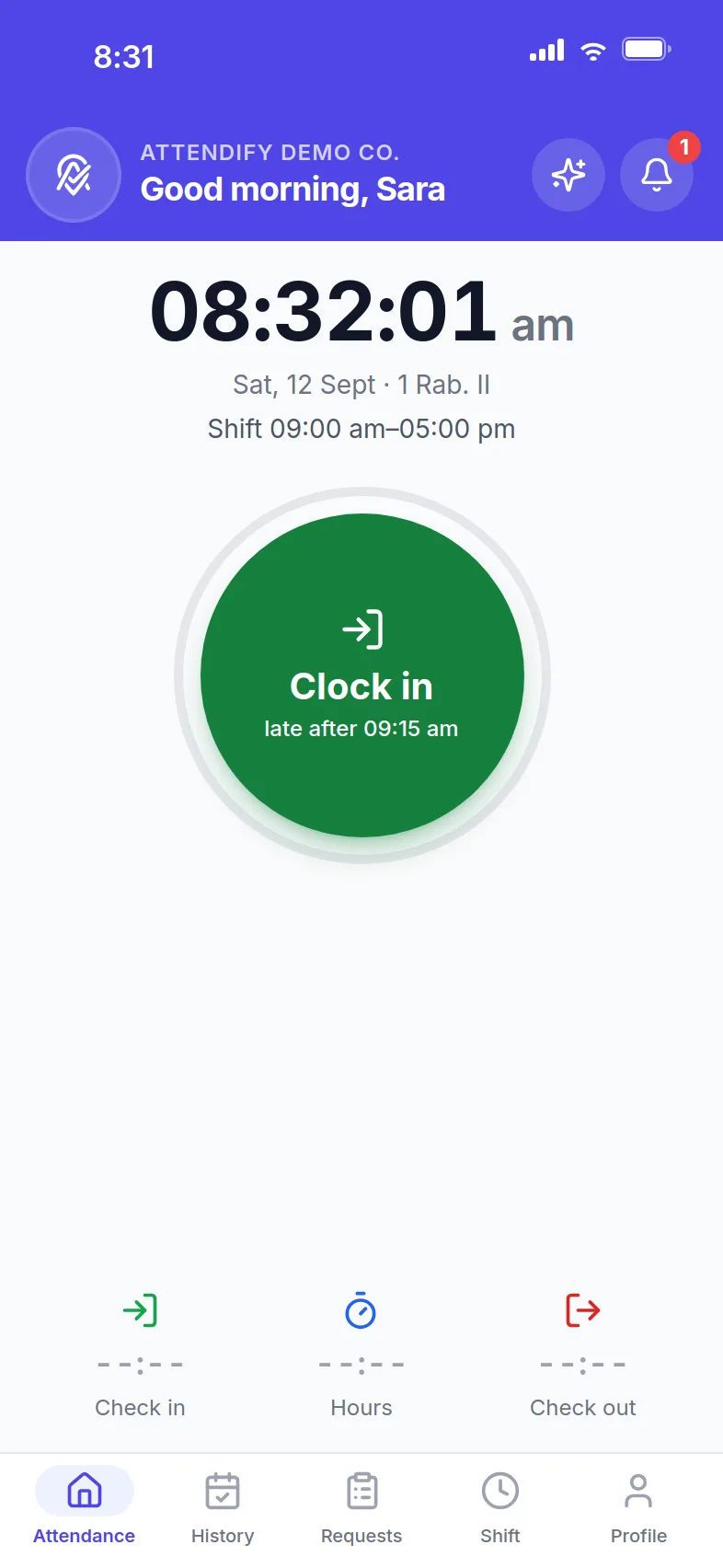
Your team clocks in from their phones. You see it live.
Attendify replaces the fingerprint machine with a one-tap check-in verified by GPS, a photo or Face ID, and a dashboard that shows who is in right now.
- Built for the GCC
- Arabic and English
- WPS payroll files
- Works without signal
- Operated by React Wave Labs, Bahrain
What happens when someone taps
Three things, in under two seconds. None of them need training.
- 1
The tap
Inside the site's radius the dial is green. Outside it, the app says how far you are and does not let the punch through.
- 2
The check
The server verifies the location and the device, then the identity you asked for: a picture kept for audit, face recognition, or the phone's Face ID. Fake locations and photos of photos are flagged.
- 3
The record
It is on the live board the moment it lands. Hours, lateness, overtime and payroll all read that same record.
Rules you set once. Per company, per group, per person.
Identity check at the punch (a picture for audit, face recognition, or the phone's Face ID), breaks, correction requests, check-out changes, and whether anyone may clock in on an off day. Company defaults, group exceptions, individual overrides; the dashboard shows which one applies and why.
- The server refuses a punch that skips the check
- Fake locations, emulators and photos of photos are flagged
- Reminders before the shift and after it, timed by you
An example policy
Identity at the punch
On · Face ID
Company
Breaks
On · 45 min a day
Group: Drivers
Correction requests
On · needs approval
Company
Check-in on an off day
Off
Employee
Every rule is optional. Switch it on or off for the company, a group or one person.
A dashboard your HR team will actually open
Who is in, who is late, attendance for any range, leave and overtime approvals, payroll and WPS files, payslips, documents with expiry alerts. Every number comes from a real punch.
Questions it answers before you ask them
- Who is in right now, and who is late?
- How many hours did the night shift work this month?
- Is the WPS file ready for the bank?
- Whose work permit expires next month?
Attendify vs biometric machines
Looking at biometric machines for your office? See the side-by-side: cost, install, multi-site, AI reports, theft & downtime.
Give it a try
Book a 20-minute demo. We'll show you a live admin dashboard and answer real questions about your setup.
Four steps from sign-up to the first report
- 1
Create the company
Add branches with their geofence radius, working hours and weekend days.
- 2
Invite employees
They install the app and log in with their phone number and a one-time code.
- 3
Set the rules
Identity check, breaks, corrections, reminders, per company, group or person.
- 4
Watch it run
Live board today, attendance history any day, payroll at month end.