What Attendify does, screen by screen
Real screens from the app and the dashboard. If it is on this page, it is live.
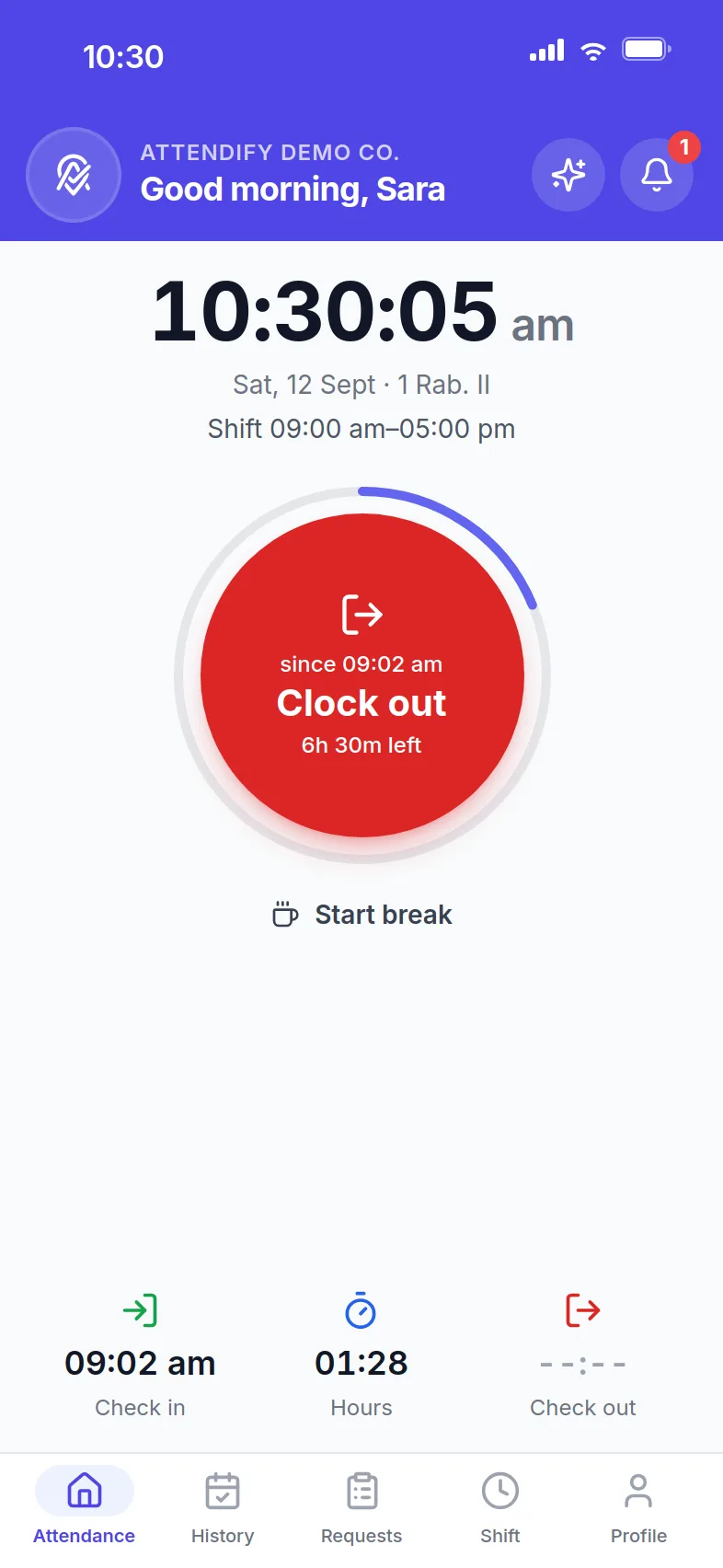
One tap to check in, verified by GPS
Each branch has its own radius. The dial turns green inside it, tells the employee how far they are outside it, and keeps the punch on the phone if there is no signal.
- Late threshold and today's shift shown on the screen
- Breaks with a start and an end, if your company uses them
- Offline punches sync themselves and show as pending until they do
Two-zone check-in for sites with a car park
The first tap from the outer zone records the arrival time. The employee then confirms from inside the site before a countdown you set runs out. Expired arrivals are marked, not counted.
- Outer radius and confirmation window per company and per location
- Bluetooth beacon confirmation ready for the next app release
- The identity check runs at the confirmation, never in the car park
Identity check, your way
Choose per company, group or employee: a picture kept for audit, face recognition matched on the server, or the phone's own Face ID or fingerprint. A punch that skips the check is refused.
- Face mismatch: flag for review or block, your choice
- Check-in selfies screened by AI for photos of photos and screens (Advanced plan)
- Mock-location apps, emulators and impossible travel flagged or blocked
Groups and policies
Drivers, head office, night shift: each group with its own rules for identity checks, breaks, correction requests, check-out changes and off-day punches. The employee page shows the effective rule and where it comes from.
- Every rule is optional: on or off per company, group or person
- Reminders before the shift, and a nudge when someone is still clocked in
- Employees can mute each reminder type in the app
Leave, overtime and corrections from the phone
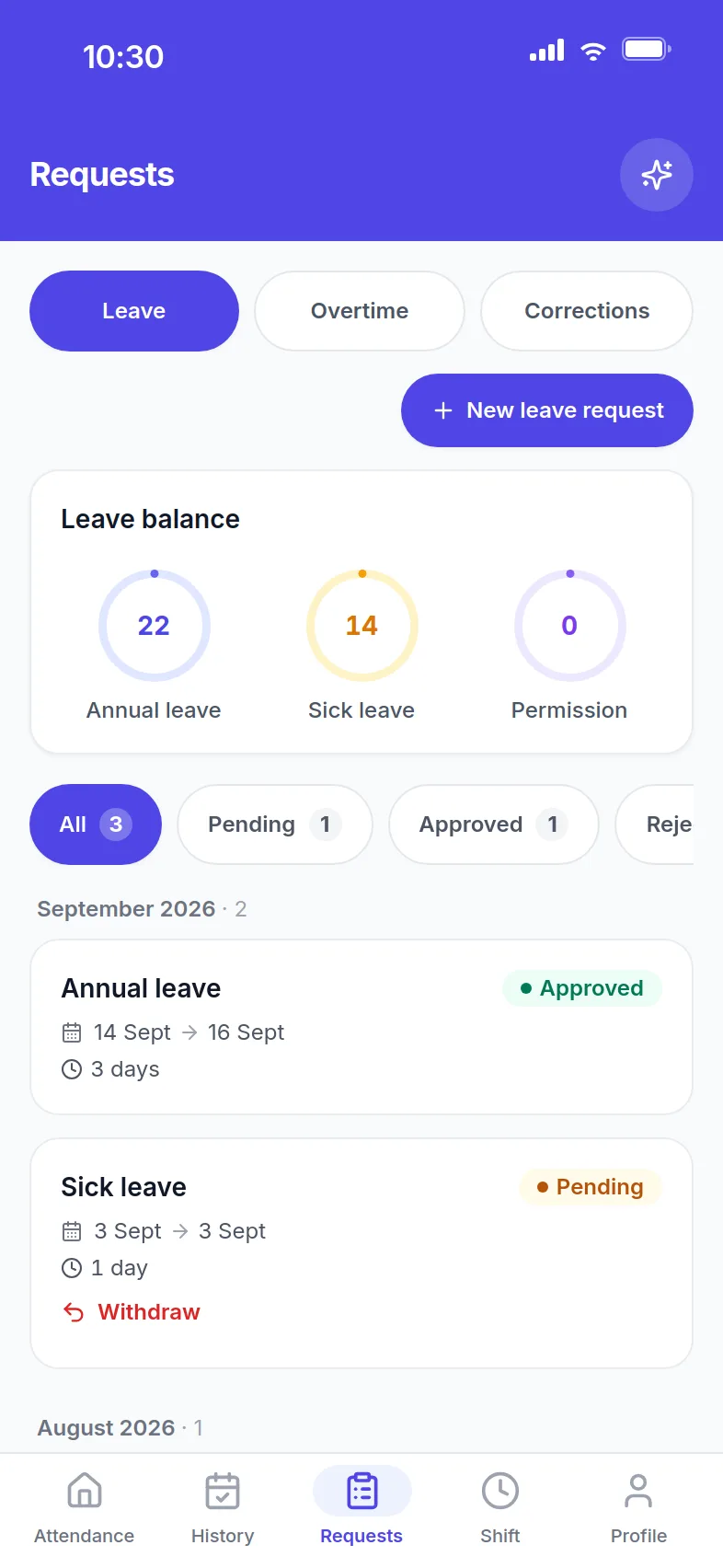
Balances before you ask, one place for every request, one-tap approvals for managers, and a push notification when the decision lands.
- Annual, sick, emergency and custom leave types
- Overtime paid at the statutory rate of each GCC country
- Corrections and check-out changes only where the company allows them
Payroll, WPS and payslips in the app
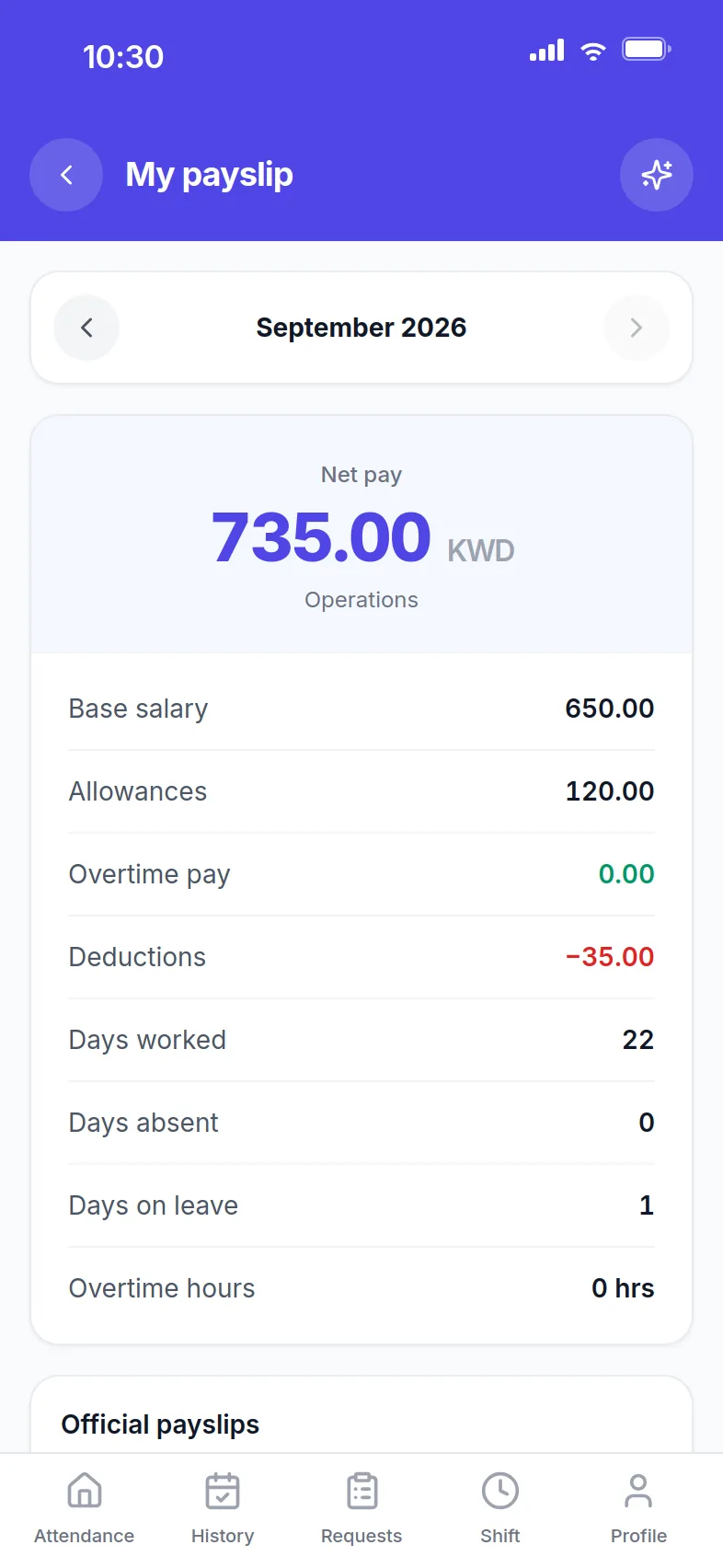
Payroll runs from real attendance. Export the WPS file for the bank, publish payslips, and each employee gets a push and the PDF on their phone. End of service is calculated by the rules of the country.
- Deductions and allowances per company rules
- Published payslips as PDF, monthly breakdown in the app
- An immutable audit trail on every change
Everything else, plainly
Time and attendance
- Recurring shifts, Ramadan hours, late thresholds
- Company holidays and off-days
- Exempt owners, admins or HR managers from check-in with one switch, or any group or person by rule; off until you turn it on
- Multiple branches, a radius per location
- Offline punches with automatic sync
- Break tracking
- Self-service corrections with approval
People
- Leave management and balances
- Employee documents with expiry alerts
- Announcements with push
- Performance appraisals
- Job postings and applicants
- Company calendar
- Org chart
Payroll and compliance
- Payroll and WPS files
- Payslips
- End of service and final settlement
- Audit log
- Custom roles and permissions
- Volume pricing from the 51st employee, capped per month
For admins
- Live board and map
- Managers run the day from the app: who is in, approvals, employees, announcements; the full dashboard is one tap away, no second login
- AI reports and assistant
- Arabic and English throughout
- App updates without the store
- Push notifications with employee preferences
- Your logo and colours in the app
Want to see it in action?
Setup is quick. Most teams are tracking attendance the same day they sign up.